GuideVault

Self-hosted game guide library

Your manuals, guides, and magazines in a real vault.

GuideVault is a self-hosted web app for collecting, browsing, and reading video game manuals, strategy guides, and gaming magazines. It is built for scanned game print media, not generic bookshelves.

ManualsInstruction booklets, reference cards, inserts, and system-specific documentation.
Strategy GuidesWalkthroughs, maps, secrets, game data, editions, ISBNs, and platform coverage.
MagazinesIssue numbers, publication months, volume details, featured games, and departments.
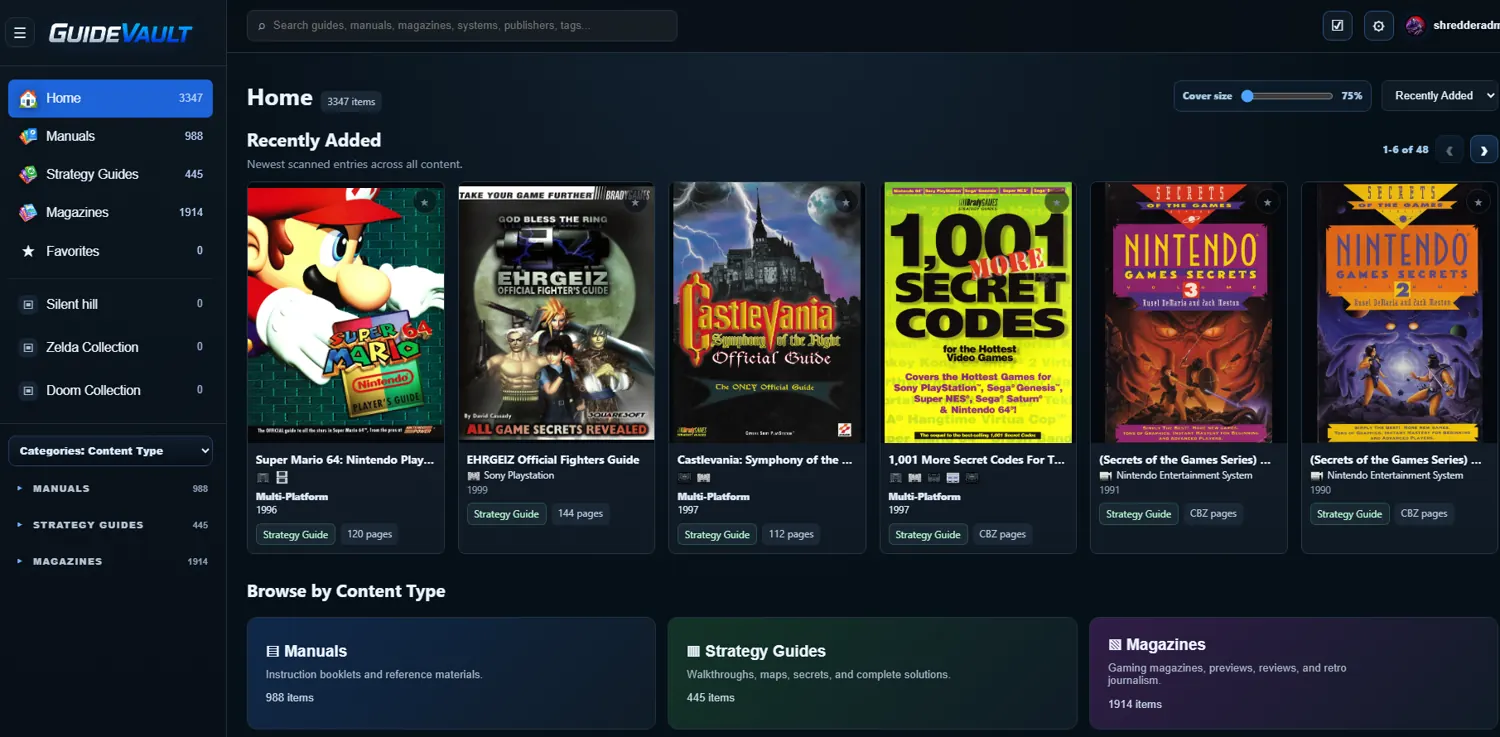
Archive UIDark library shell, content-type navigation, cover grids, and metadata-rich detail pages.
GuideVault home library screenshot
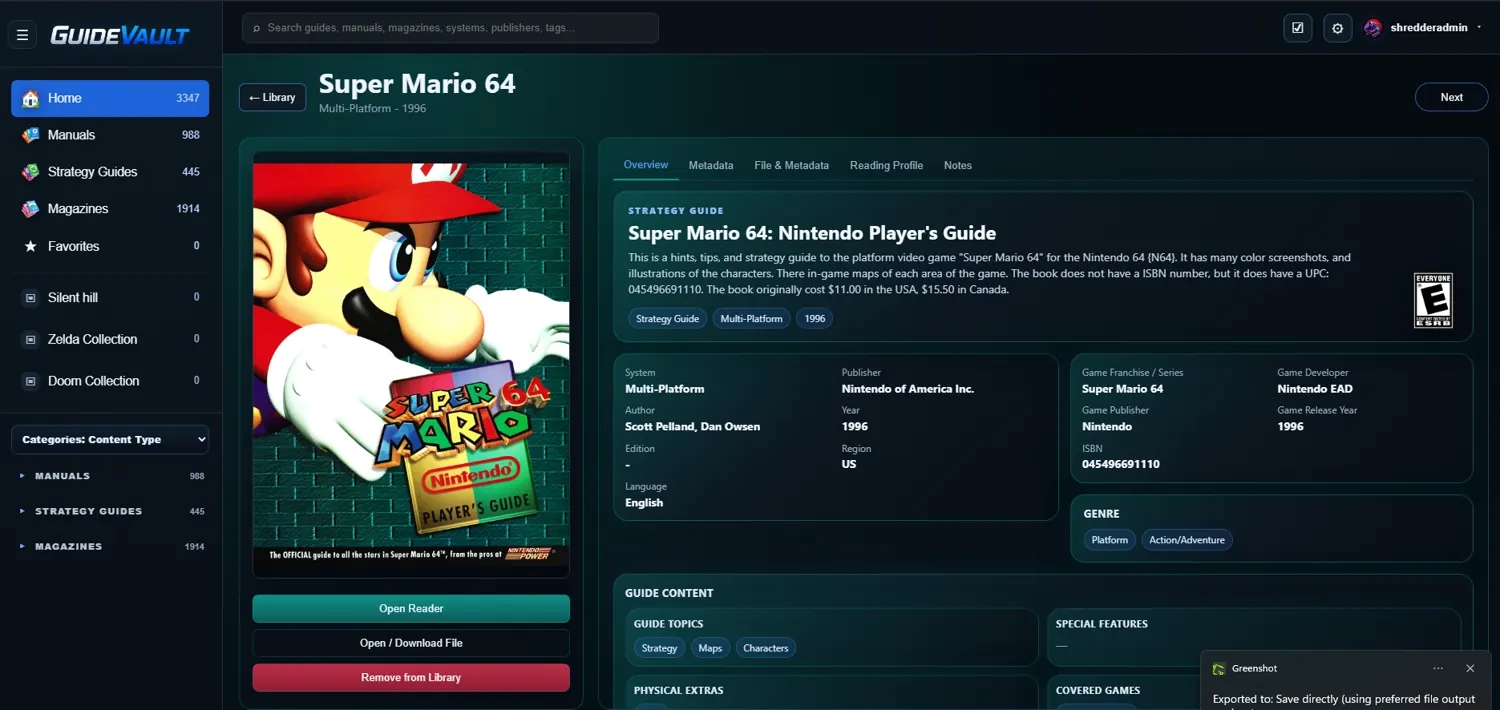
GuideVault details page screenshot

Purpose-built for game print media

A library that understands the difference between a manual, a guide, and a magazine.

GuideVault keeps each content type distinct. Manuals can stay tied to a platform and game. Strategy guides can carry book-style metadata such as ISBNs, publisher, author, guide type, and edition. Magazines can track issue details, cover subjects, featured games, departments, and publication information.

Built for scanned archives

Use CBZ and CBR files as the core library format for scanned game print media.

Self-hosted ownership

Run the server yourself, keep your library on your own storage, and access it through your browser.

Reader-first organization

Browse covers, open the reader quickly, save reading preferences, and keep metadata close to the item.

Core areas

Library, reader, metadata, and integrations.

01

Library

Browse all content, favorites, collections, recently added items, and type-specific sections for manuals, strategy guides, and magazines.

02

Reader

Read scanned archives with single-page, two-page, adaptive two-page behavior, bookmarks, zoom, page controls, and reading profiles.

03

Metadata

Track platforms, publishers, release years, ISBNs, issue numbers, regions, languages, ESRB ratings, featured games, and more.

Latest updates

GuideVault update history, from first release to the newest package.

A newest-first record of major GuideVault website, app, metadata, reader, OPDS, Docker, and database updates since the project was created.

Open full updates page
v0.9.210 → v0.9.218

Docker packaging, Home Assistant control, and website database display fixes

  • Published the latest v0.9.210 through v0.9.218 package updates.
  • Validated Docker image packaging improvements for required PDF tooling.
  • Continued Home Assistant command/control polish for opening content, navigation, fullscreen, and reader background control.
  • Updated the website so the public database section can render while admin/write routes remain protected.
v0.9.197 → v0.9.199

Metadata schema and import/export stabilization

  • Published v0.9.197 and v0.9.199 update packages.
  • Continued metadata schema alignment for manuals, strategy guides, and magazines.
v0.9.175 → v0.9.196

Reader, file conversion, and package maintenance work

  • Added format conversion tooling and PDF-to-CBZ support.
  • Published multiple package updates while tightening reader, metadata, and file-management behavior.
v0.9.167

Metadata manager, database, and website support work

  • Prepared the v0.9.167 update track.
  • Continued improving metadata manager behavior, type-specific metadata fields, and website/database support.
v0.9.144

Post-1.0 UI, settings, and admin polish

  • Published post-1.0 polish releases focused on hardening the app after the milestone build.
  • Continued cleanup around settings, metadata administration, and package delivery.
v1.0.0

Initial 1.0.0 release and documentation cleanup

  • Published the initial GuideVault v1.0.0 release.
  • Added GitHub issue templates.
  • Cleaned and refreshed the README with screenshots.
  • Moved Docker documentation and release notes into the docs folder and removed old backup/release artifacts.
v0.9.116 → v0.9.118

Pre-1.0 refinement releases

  • Published multiple refinement packages while preparing the project for the 1.0 milestone.
  • Continued release and packaging cleanup ahead of the public 1.0 baseline.
v0.9.106

Magazine OPDS grouping

  • Grouped OPDS magazine browsing by series so magazine catalogs are easier to navigate.
  • Published the v0.9.106 package update.
v0.9.102

OPDS pagination, metadata lookup improvements, and details cleanup

  • Added OPDS catalog pagination with 20, 50, and 100 item page sizes.
  • Added OPDS item detail views with Read, Open Details, and Download actions.
  • Added /opds/v1 support as an alias for the OPDS catalog route.
  • Added IGDB credential testing and improved Open Library, IGDB, and ESRB lookup dialogs.
  • Fixed /opds/v1 login fallback, OPDS pageSize behavior, stale lookup results, and several details-screen issues.
v0.9.85

v0.9.85 stabilization release

  • Published an additional v0.9.85 stabilization package after the metadata and workflow cleanup pass.
v0.9.75 → v0.9.85

Metadata source, manual, and magazine cleanup wave

  • Updated metadata source handling and manual metadata scope.
  • Cleaned magazine metadata handling and overview display encoding.
  • Fixed metadata separator encoding issues.
  • Restored GitHub workflows and refreshed repository documentation.
v0.9.62 → v0.9.66

Early package stabilization releases

  • Published follow-up container/package releases after the initial cleanup baseline.
  • Continued tightening the release flow and install package behavior.
v0.9.40 → v0.9.59

Repository cleanup, GuideVault baseline, and metadata export fixes

  • Published the early v0.9.40 GuideVault container baseline.
  • Removed legacy PageQuest project files and duplicate static asset folders.
  • Cleaned generated files, duplicate scripts, release scripts, and platform icon folders.
  • Fixed filename sanitizer behavior and metadata export handling.
Initial public build

GuideVault project created and published

  • Initial GuideVault release committed and documented.
  • README updated for the first public GuideVault package.
  • GHCR Docker image publishing added so the app can be pulled as a container image.